
Launch like a Pro
Find a meme, make the token image and launch with your own wallets buying in the very first block. Your keys never leave your browser.
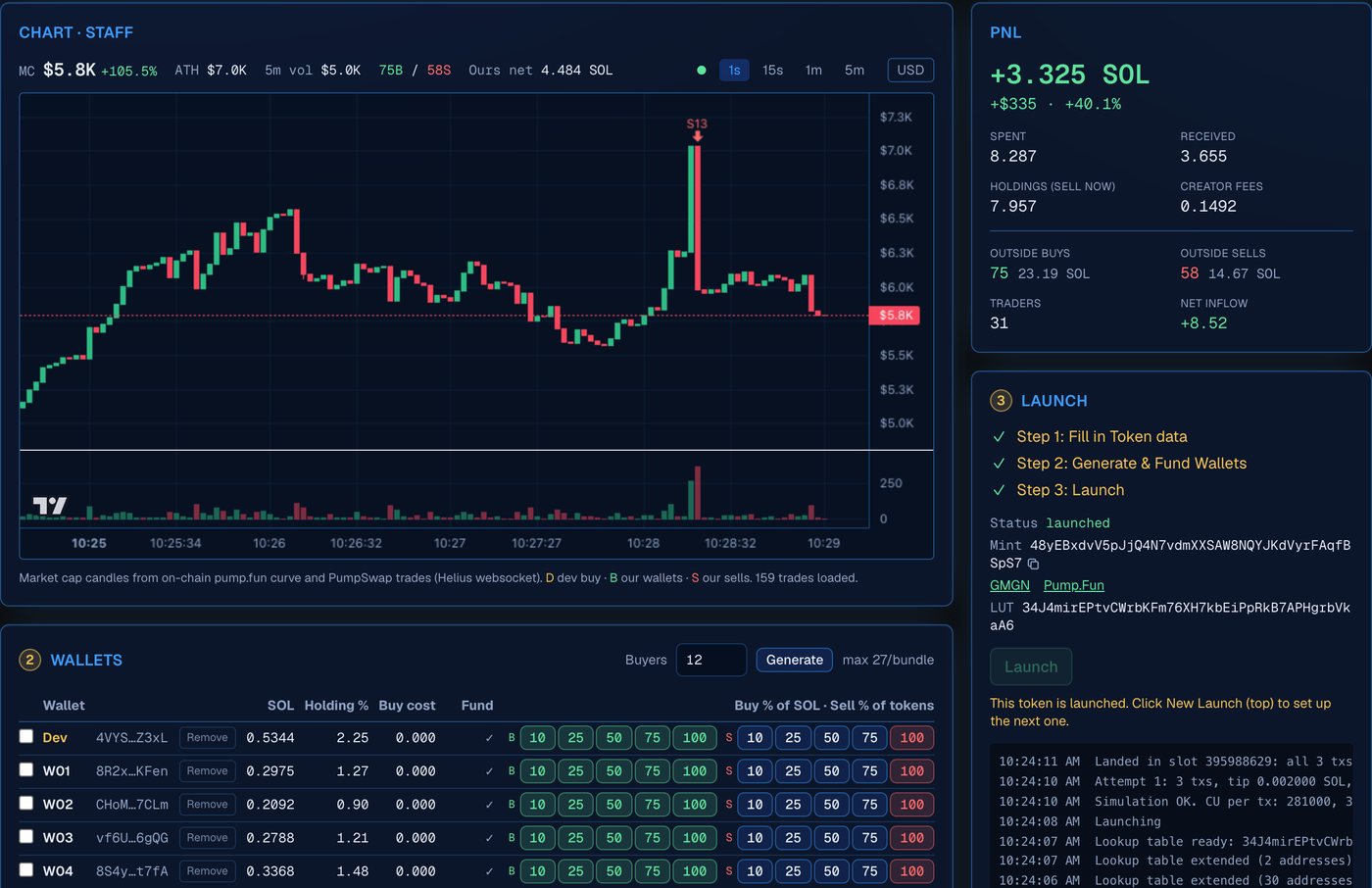
A real launch in ProLaunch, start to finish, in 2 minutes.
From meme to market in four steps
No coding, no scripts, no spreadsheets. ProLaunch walks you through every part of a launch.
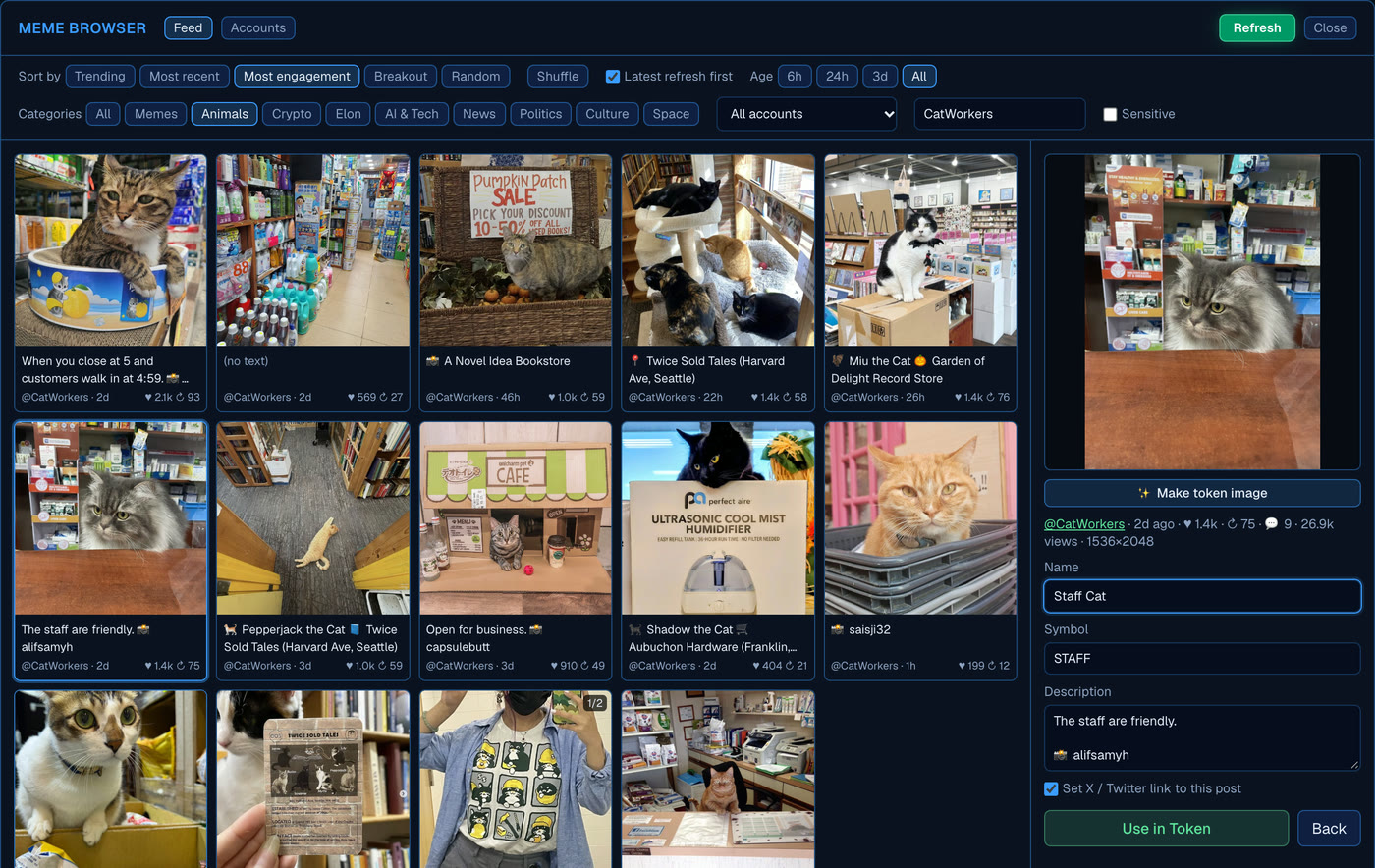
Find the next meme before everyone else
The Meme browser shows what's taking off on X right now. Pick a post and ProLaunch fills in the token name, ticker, description and X link for you.
- Sort by Trending or Breakout to spot small accounts getting big engagement
- Browse by topic: animals, AI, news, politics, culture, space and more
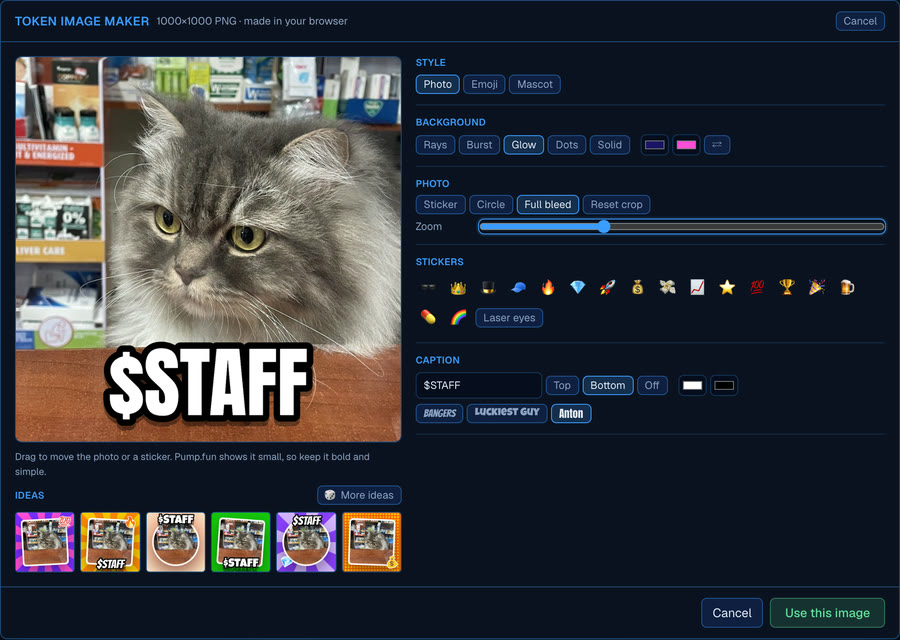
- Make image: turn the photo, an emoji or a mascot into a bold token icon with your ticker on it. No designer needed.
Wallets ready in one click
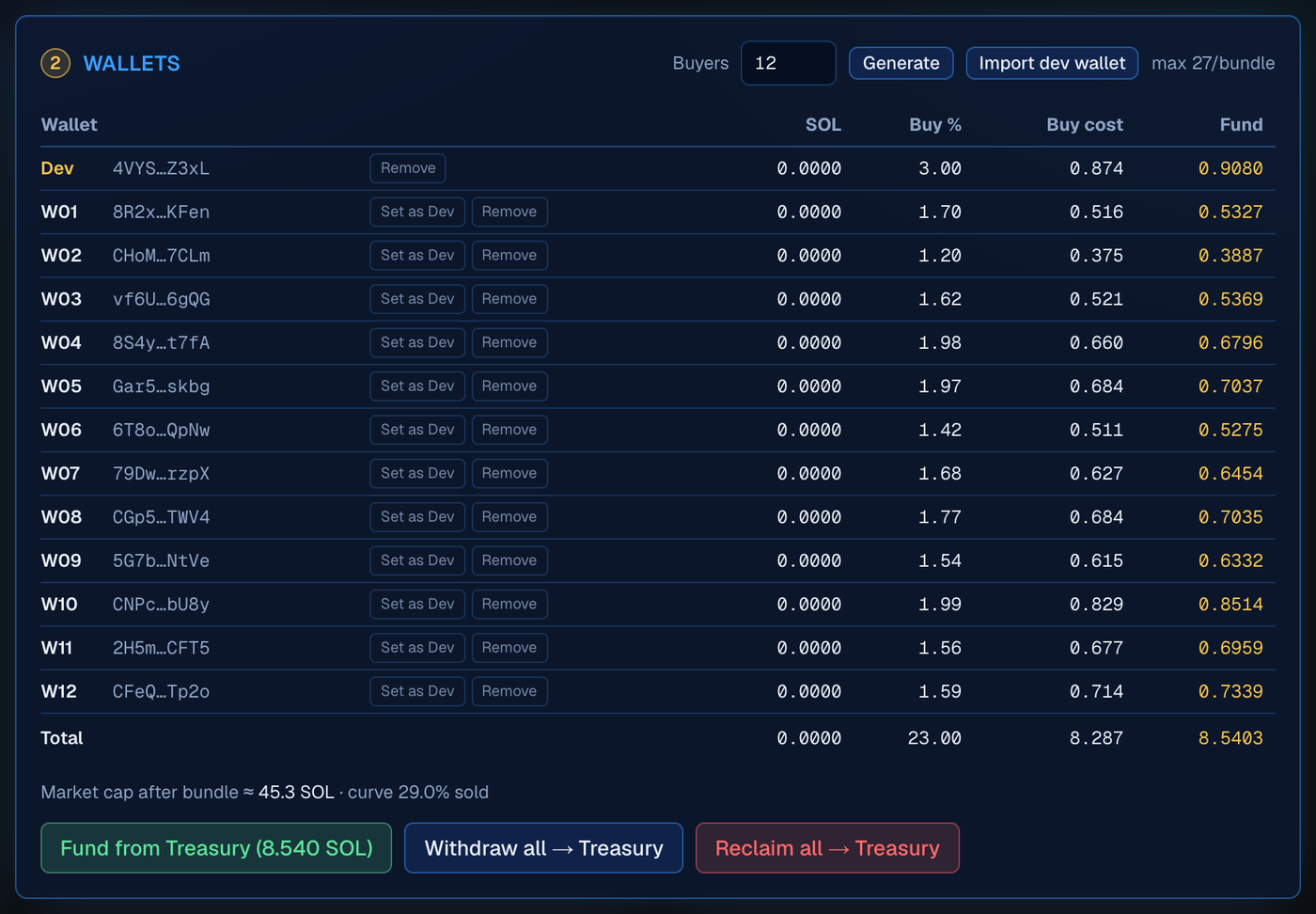
Choose how much of the supply you want to own at launch. ProLaunch creates the wallets, works out exactly how much SOL each one needs and funds them all from your Treasury in one go.
- Exact costs up front: see the total before you spend anything
- Natural-looking buys: amounts are randomized a little per wallet
- Deposit from Phantom or Solflare into your Treasury, withdraw back any time
Block-0 launch, one button
Your dev wallet creates the token and up to 27 of your wallets buy in the same block, sent together as one Jito bundle. Nobody can buy in between your token going live and your buys.
- Tested first: the whole launch is simulated on Solana before anything is sent
- All or nothing: the bundle lands complete, or not at all
- Automatic retries with a fresh tip if it doesn't land the first time
Watch it live, sell with a click
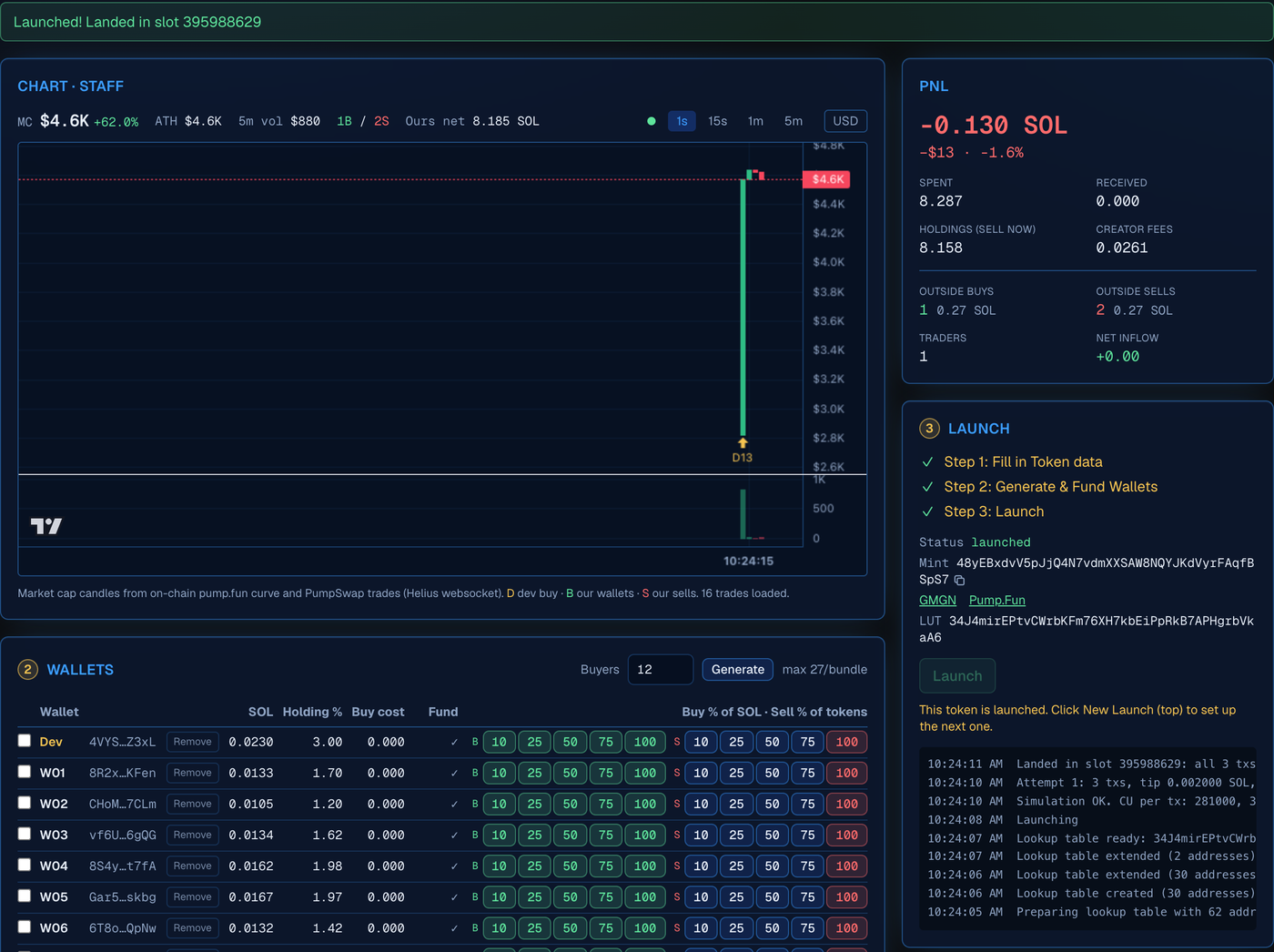
Follow the live chart with your own buys and sells marked on it. Sell from one wallet, a few, or all of them at once.
- 25 / 50 / 75 / 100% sell buttons on every wallet
- Graduated? Sells switch to PumpSwap automatically
- Done? One click sweeps your SOL home and gets back the rent Solana holds for each wallet
Your wallets are yours
ProLaunch never holds your keys. Your wallets are created on your device and the keys stay there. Our servers never have them, so there's nothing on our side to steal.
Made in your browser
All your wallets come from one seed phrase created on your own device. It's never sent to us.
A backup we can't open
We only store an encrypted copy, locked by your passkey or recovery code, so you can sign in from another device.
Take them anywhere
Export your seed phrase at any time. It works in Phantom and other Solana wallets, so you're never locked in.
Every transaction checked
Before anything is signed, your browser checks it. SOL can only go to your own wallets or addresses you've added.
Sign in with a passkey
Use Face ID, Touch ID, Windows Hello or your password manager. There's no password to leak.
Fees capped in code
The signer refuses any request that would charge more than 1% of the SOL being traded. It's a hard limit, not a promise.
Like any browser wallet, ProLaunch relies on the code your browser loads. We keep the signing code small and on its own separate site, and it auto-locks after 15 minutes idle. How the security works →
Low fees, nothing hidden
You only pay when you use it. No subscription, no setup fee, no charge to look around.
Launch fee
Of the SOL your launch buys spend. Added to your plan, so the total you see is the total you pay.
Per trade
Of each buy or sell you make through ProLaunch after launch.
Fee calculator
pump.fun's own trading fees, Jito tips and Solana network fees are separate and go to them, not to us.
Referrals
Invite friends to ProLaunch and earn rewards when they launch.
Questions, answered
What is a block-0 launch?
It means your token is created and your own wallets buy it in the very same Solana block. Everything goes out together as one bundle, so nobody else can buy in before your wallets.
Do I need to know how to code?
No. Everything happens in the app with buttons and forms. If you can use Phantom, you can use ProLaunch.
How much SOL do I need?
That depends on how much of the supply you want to buy at launch. ProLaunch shows the exact total before you fund anything. As a rough guide, buying 15% of the supply costs about 5 SOL.
Can ProLaunch take my funds?
No. Your keys are created and kept in your browser, and we only store an encrypted backup we can't open. Every transaction is checked before it's signed, so SOL can only move to your own wallets or addresses you've added.